Chatbots improve customer service by automating specific support mechanisms across the customer journey. Each section below explains one mechanism, its scope, and its limits.
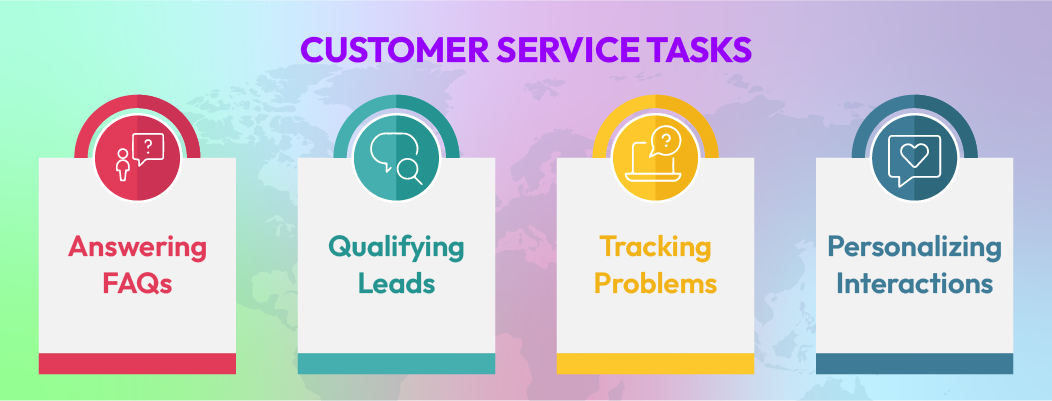
Answering FAQs
FAQ handling is automated through predefined responses stored in a governed knowledge base. This mechanism activates only when intent confidence is high and the request maps cleanly to known topics such as policies, timelines, or basic product attributes.
Because these questions do not require account-specific judgment or exceptions, a single authoritative answer can be delivered across all channels, delivering benefits of conversational automation.This prevents variation between agents and eliminates repeat inquiries that would otherwise create duplicate tickets.
Automation must stop when interpretation or policy exceptions are required. Loose intent definitions or outdated content increase error risk, which is why FAQ scope requires regular review and strict governance.
Example:
A customer opens a chat asking, “Where is my order?” The chatbot retrieves the latest shipping status and delivery estimate from the order system and responds immediately without creating a ticket or placing the customer in a queue.
Understanding the Issue and Routing It Correctly
At the start of an interaction, routing is driven by topic, urgency, and customer context collected through structured prompts and message analysis.
These signals determine whether the request should be resolved automatically, placed into a queue, or assigned to a specialized support team. Early classification removes manual triage and reduces reassignment during resolution.
Routing accuracy depends on signal clarity. Vague or conflicting inputs reduce confidence and require clarification. When confidence remains below threshold, the conversation defaults to human review to prevent incorrect automation.
Example:
A customer selects “Billing issue” and mentions being charged twice. The chatbot tags the request as high priority and routes it directly to a billing-trained agent instead of a general queue.
Tracking Issues and Escalating When Needed
Issue tracking begins with the collection of required identifiers such as order IDs, account emails, or transaction references. These identifiers are used to locate the issue in backend systems and persist throughout the conversation.
When escalation occurs, the full interaction history and collected data transfer automatically to the agent. This removes repeated discovery steps and shortens resolution time.
Escalation is triggered by defined signals, including low intent confidence, restricted topics, repeated clarification loops, or sentiment risk. Poorly defined or delayed thresholds increase agent workload, which is why escalation logic requires continuous review to manage operational limits of chatbots.
Example:
A customer reports a failed payment. The chatbot requests the transaction ID at the start of the conversation and passes it to the agent during escalation, so the customer does not need to repeat details.
Using Customer Context to Personalize Support
Personalization relies on verified customer context such as account status, prior conversations, recent orders, or language preference sourced from connected systems.
This context is applied only when identity confidence and data freshness meet defined requirements, enabling context-aware responses. When valid, it reduces repeated questions by acknowledging known information instead of re-collecting it.
If data is stale, fragmented, or unverified, the system reverts to neutral responses and escalates rather than risking incorrect personalization.
Example:
A returning customer asks about a delayed delivery. The chatbot references the customer’s existing order and shipping status instead of asking them to explain the issue again.
Collecting the Right Information Early
Early data collection reduces resolution time by capturing required inputs such as order IDs, account emails, issue category, and transaction references at the start of the interaction.
This information persists across the conversation and transfers automatically during escalation, ensuring agents receive a complete case context instead of restarting discovery.
Collection must stop when validation fails or sensitive information is involved. Incorrect or incomplete inputs increase handling time, which is why input rules require strict control.
Example:
A customer reports a missing refund. The chatbot requests the order ID and refund method, verifies the status, and passes the information to an agent only if escalation is required.
Continuing the Same Conversation Across Channels
Omnichannel continuity is maintained by preserving conversation state across web chat, email, and messaging platforms through hybrid support model. Customer identity, interaction history, and resolution stage remain consistent when users switch channels.
This prevents duplicate tickets and eliminates the need for customers to repeat the same issue. When identity confidence is low, verification is required before linking conversations to avoid incorrect case merging.
Example:
A customer starts a support request on the website and follows up via email. The chatbot preserves the issue history and current status so the agent continues the same case.
Providing Support on Multiple Channels
Multichannel support treats each channel as an independent entry point unless customer identity is explicitly verified.
This approach increases availability and reach, allowing customers to contact support through their preferred platform. It prioritizes coverage over continuity and accepts the possibility of duplicate cases unless verification enables linkage.
Example:
A chatbot answers order tracking questions on social messaging and handles FAQs on the website without linking sessions unless the customer provides verification details.

 ChatGPT
 Perplexity
 Claude
.webp)


Leave a Comment
Your email address will not be published. Required fields are marked *
By submitting, you agree to receive helpful messages from Chatboq about your request. We do not sell data.