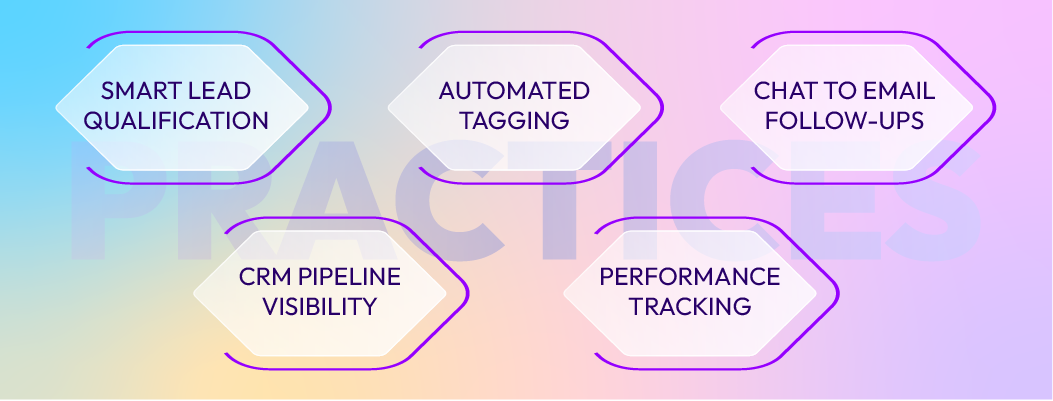
Successful integration requires deliberate practices. The most common integration failures aren't technical, they're planning and process failures. These practices prevent those failures.
Practice 1: Capture Only Necessary Data
More data fields mean slower syncs, more mapping errors, and harder long-term maintenance. Define minimum viable fields: email (required), name (required), company (optional), chat topic (optional), timestamp (required). Everything else can live in the chat transcript or be captured on follow-up calls.
Over-capturing creates two problems. First, slow syncs: each field increases payload size and latency. Second, mapping errors multiply: more fields mean more places for misalignment to occur.
Start minimal. If you need additional fields later, add them after the integration runs smoothly. Growing field requirements is easier than unraveling over-captured data.
Practice 2: Standardize Tagging System and Naming Conventions
Inconsistent tags create noise and break automation. Establish a closed set of tags your organization actually uses. Examples: Source_Live_Chat, Intent_Pricing, Timeline_Urgent, Product_Enterprise, Demo_Requested.
Naming rules: Use underscores (Intent_Pricing). Use PascalCase for clarity (not "intent pricing" or "intent_pricing"). Keep tags focused on routing and reporting outcomes, not describing individual chats.
Document the tagging system. Train your team on which tags to use when. Review tag usage quarterly and retire tags that nobody applies.
Practice 3: Automate Lead Assignment Based on Clear Rules
Manual lead assignment is slow and inconsistent. Define assignment rules upfront: Assign by territory (if company location = "US East," assign to East region rep). Assign by product interest (if chat topic = "Enterprise Features," assign to enterprise sales rep). Assign by lead score (if score > 75, assign to senior rep).
Rules run instantly. Leads are assigned before the rep even knows they exist. This eliminates the "lead sitting unassigned for 2 hours" problem.
Test assignment rules before deployment. If rules are too broad or too narrow, deals get misrouted. Run 2-3 weeks of pilot assignment and review results before full rollout.
Practice 4: Prevent Duplicate Contacts Using Email-Based Deduplication
Duplicates wreck reporting accuracy, confuse team members, and slow workflows. Email is the authoritative deduplication key.
Before creating a new lead, the CRM checks: Does an email with this address already exist? If yes, link the new chat activity to the existing lead and do not create a duplicate. If no, create new lead.
Configure your integration to always check email first. If your CRM doesn't support automatic deduplication, set up a manual cleanup process: run duplicate reports weekly and merge duplicate records within 48 hours.
Duplicate prevention is cheaper than duplicate cleanup. Prevent them at creation rather than fixing thousands of duplicate records later.
Practice 5: Monitor Sync Delays and Set Up Alerts
Real-time sync is the goal, but failures happen. API rate limits, permission errors, or network timeouts can delay data flow. Monitor sync performance.
Track: Sync latency (time from chat end to CRM lead creation; target <30 seconds). Sync error rate (percentage of chats that fail to sync). Lead creation rate (are leads being created for every qualifying chat?).
Set up alerts: If sync latency exceeds 5 minutes, alert your integration admin. If sync error rate exceeds 2% in an hour, page the team. These alerts catch problems before they become disasters.
Use tools like New Relic or Datadog to track sync performance continuously. Don't rely on manual status checks.
Practice 6: Validate Field Mapping Regularly
Field mapping errors are silent failures. Data syncs but lands in the wrong place. Automation rules can't trigger because the field is in the wrong location.
Quarterly field mapping audit: Go through each mapped field and verify it syncs to the correct CRM field. Run test chats and confirm data appears where expected. Check that automation rules trigger based on mapped fields.
Common mapping mistakes: Mapping chat_reason to Notes field instead of a structured Reason field (breaks automation). Mapping chat_email to a text field instead of Email field (breaks deduplication). Mapping timestamps with wrong format (breaks time-based workflows).
Catch these mistakes in audits, not in production.
Practice 7: Schedule Regular Data Audits and Cleanup
Data quality decays over time. Duplicates creep in through new integrations, form submissions, and manual entry. Field values drift (team members enter "EastRegion," "East Region," "EAST," same data, different format).
Run monthly cleanup: Merge duplicate leads. Standardize field values (convert all region entries to consistent format). Remove test chats and abandoned lead records. Validate required fields are populated.
Assign ownership. Someone on your ops team should own data cleanup. Schedule it monthly like you would schedule server maintenance.
Clean data improves reporting accuracy, automation reliability, and overall system performance.
Common Integration Errors to Avoid
Error 1: Creating leads for every chat. Anonymous chats, bots, spam, not every chat should create a lead. Gate lead creation behind email capture or explicit intent. Store anonymous chats in analytics, not CRM.
Error 2: Not attaching transcripts. Leads without conversation history are leads you'll re-qualify manually. The transcript is the context. Always attach it.
Error 3: Ignoring field format mismatches. Chat system sends "yes/no" but CRM field expects "true/false" or boolean. Format mismatch breaks automation. Test field formats during setup.
Error 4: Over-automating. Not everything should be automated. Complex qualification decisions, high-value negotiation strategies, and sensitive support issues benefit from human judgment. Use automation for routine tasks, not for replacing expertise.
Error 5: No monitoring. Integration runs in the background. Without monitoring, you won't know if it fails silently. Set up alerts and review sync logs weekly.
Error 6: Not testing edge cases. Test what happens when: same visitor chats twice, chat duration exceeds system limits, visitor provides incomplete data, chat is transferred between agents. Edge cases expose integration fragility.


 ChatGPT
 Perplexity
 Claude
.webp)


.webp)




Leave a Comment
Your email address will not be published. Required fields are marked *
By submitting, you agree to receive helpful messages from Chatboq about your request. We do not sell data.