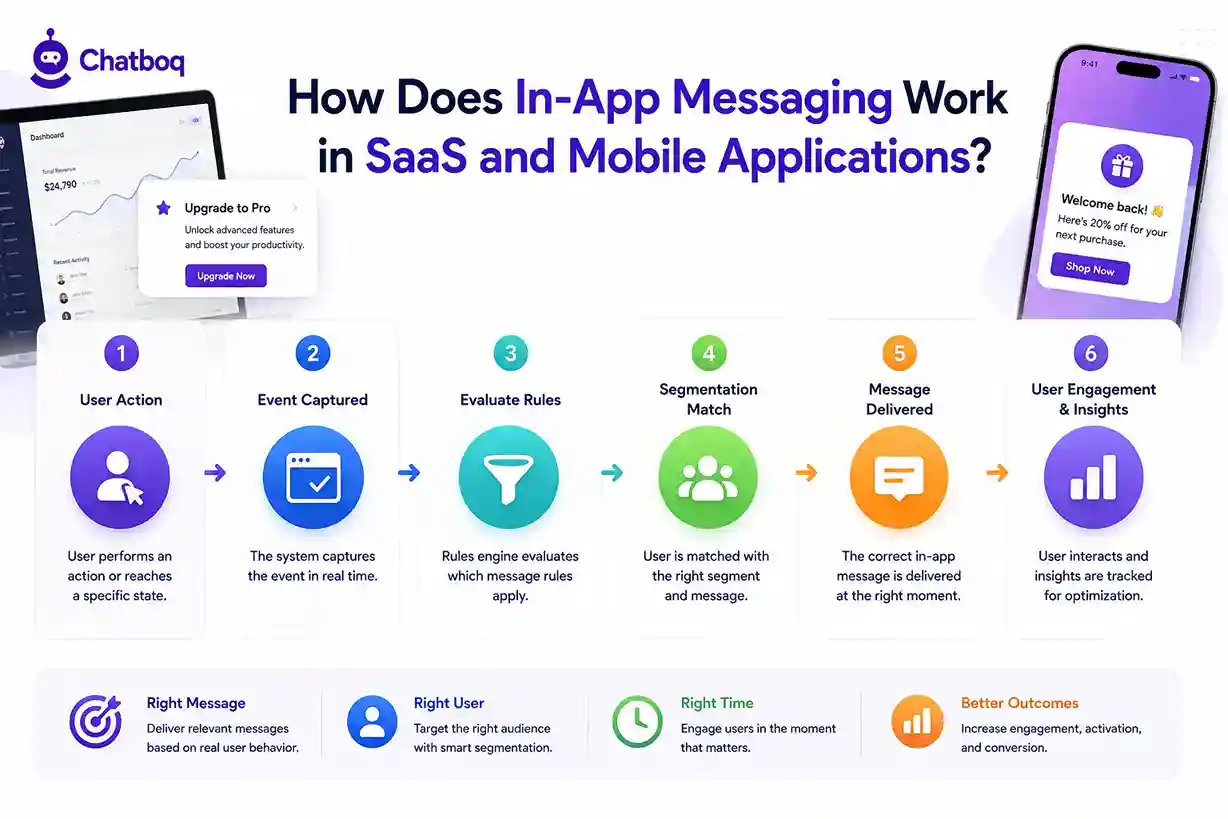
In-app messaging works in SaaS and mobile applications through an event-driven system that connects user behavior data to message triggers, segmentation logic, and real-time delivery. When a user performs a defined action or reaches a defined state, the system evaluates which message rules apply and delivers the correct message at that moment.
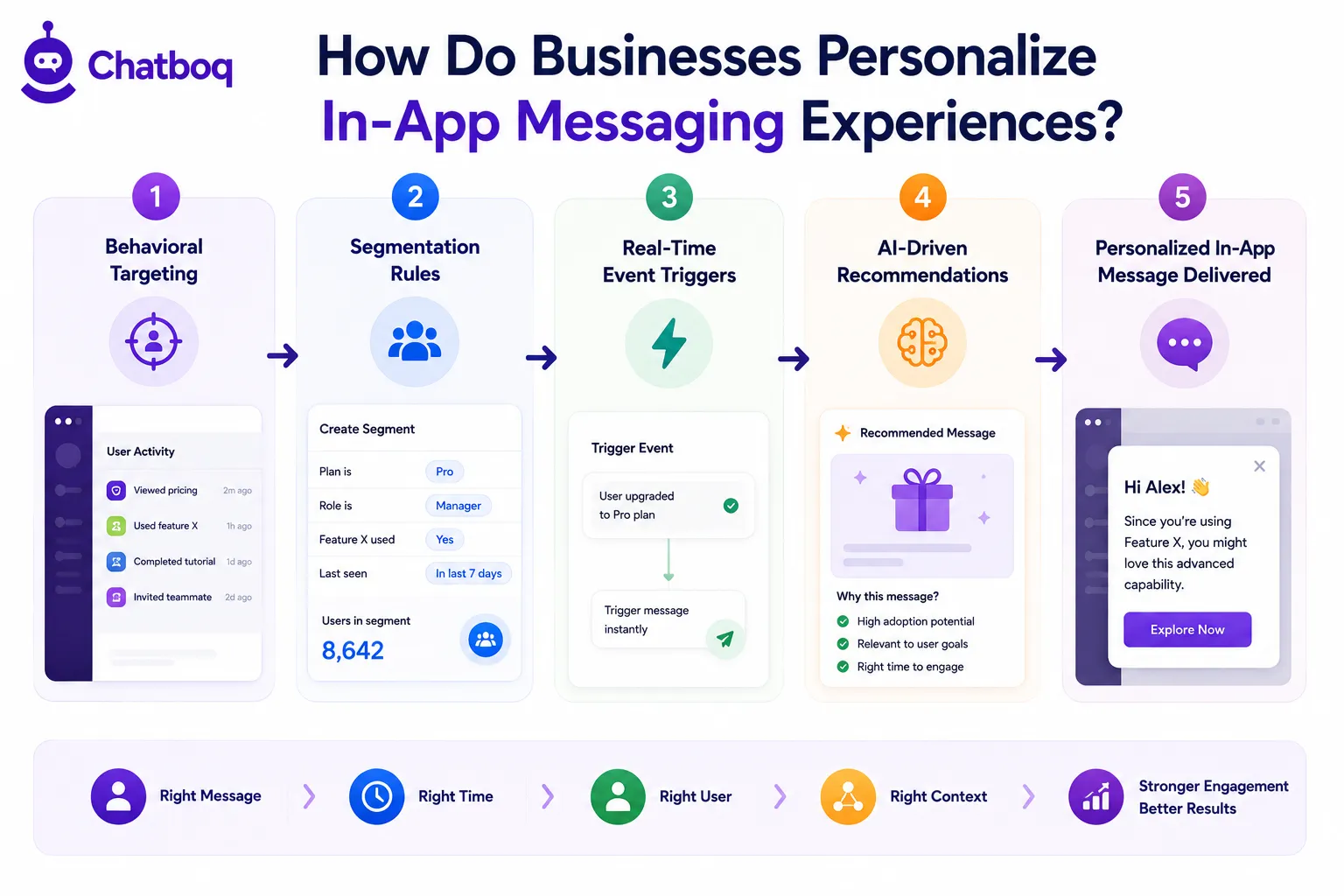
Triggering Messages Based on User Behavior
In-app messages are triggered by user behavior events including page views, feature interactions, session duration, form completions, inactivity periods, and custom events defined through API integration. Triggering messages based on user behavior ensures communication reaches users when their context matches the message intent.
Four types of trigger are used in SaaS in-app messaging systems:
-
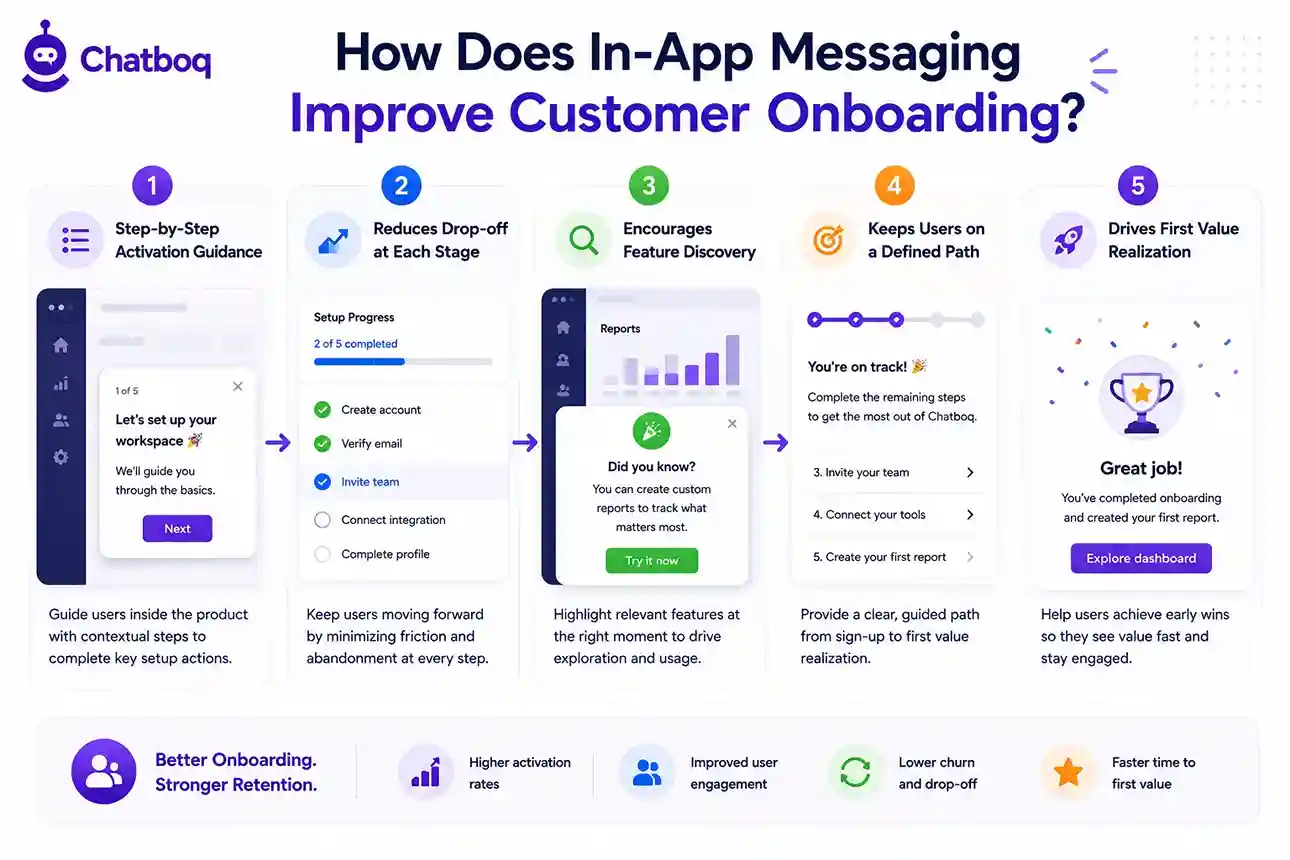
Event triggers: a specific user action fires the message (completed onboarding step, clicked upgrade button, used a feature for the first time)
-
Time-based triggers: a message fires after a defined time condition (user inactive for 5 minutes on setup page, session exceeds 10 minutes)
-
Segment entry triggers: a message fires when a user enters a defined behavioral segment (users who have not used the reporting feature after 7 days)
-
Goal-based triggers: a message fires when a user reaches a milestone (first export completed, team member invited, integration connected)
Using Customer Data and Segmentation
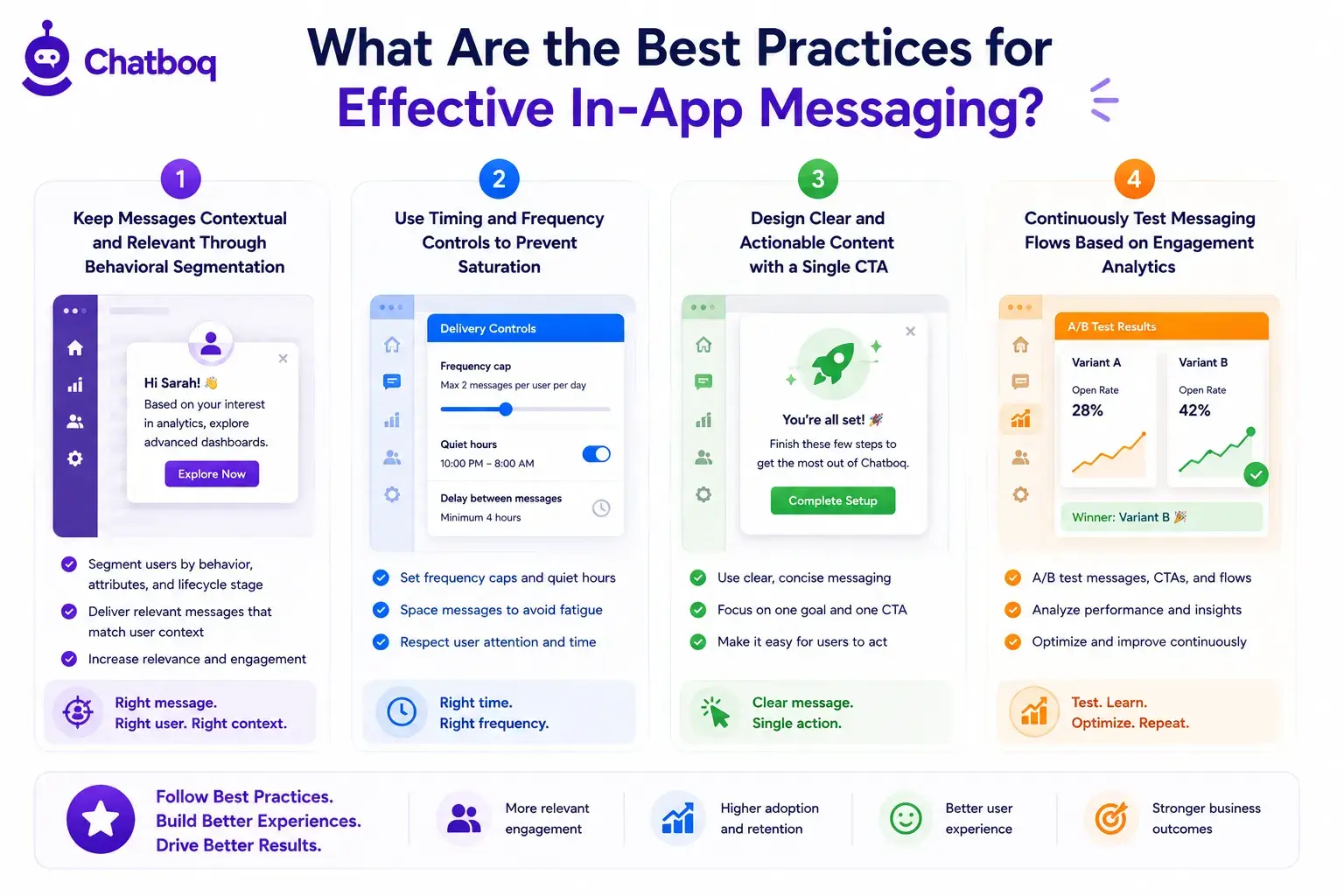
In-app messaging systems use customer segmentation to match messages to user groups based on behavioral data, account attributes, lifecycle stage, and product usage patterns. Segmentation logic filters the total user base into defined cohorts, and each cohort receives messages relevant to their current state.
Segmentation variables include plan type, days since signup, features used, features not used, company size, and behavioral activity scores. A segment defined as "users on the Professional plan who have not connected their first integration after 5 days" receives a targeted message with a direct link to the integration setup screen. Without segmentation, messages deliver to all users regardless of relevance.
Delivering Contextual Communication in Real Time
Real-time delivery means the message is evaluated and rendered within the current user session based on live behavior data, without batch processing delays. The user takes an action, the event fires, the segmentation logic evaluates immediately, and the message appears within the same session interaction.
Event-driven messaging architecture uses webhooks and API event streams to pass user behavior data to the messaging system in real time, enabling sub-second message delivery after trigger conditions are met. This timing is critical for onboarding flows where a 3-second delay causes users to explore independently and miss key activation steps.
Tracking Engagement and Interaction Metrics
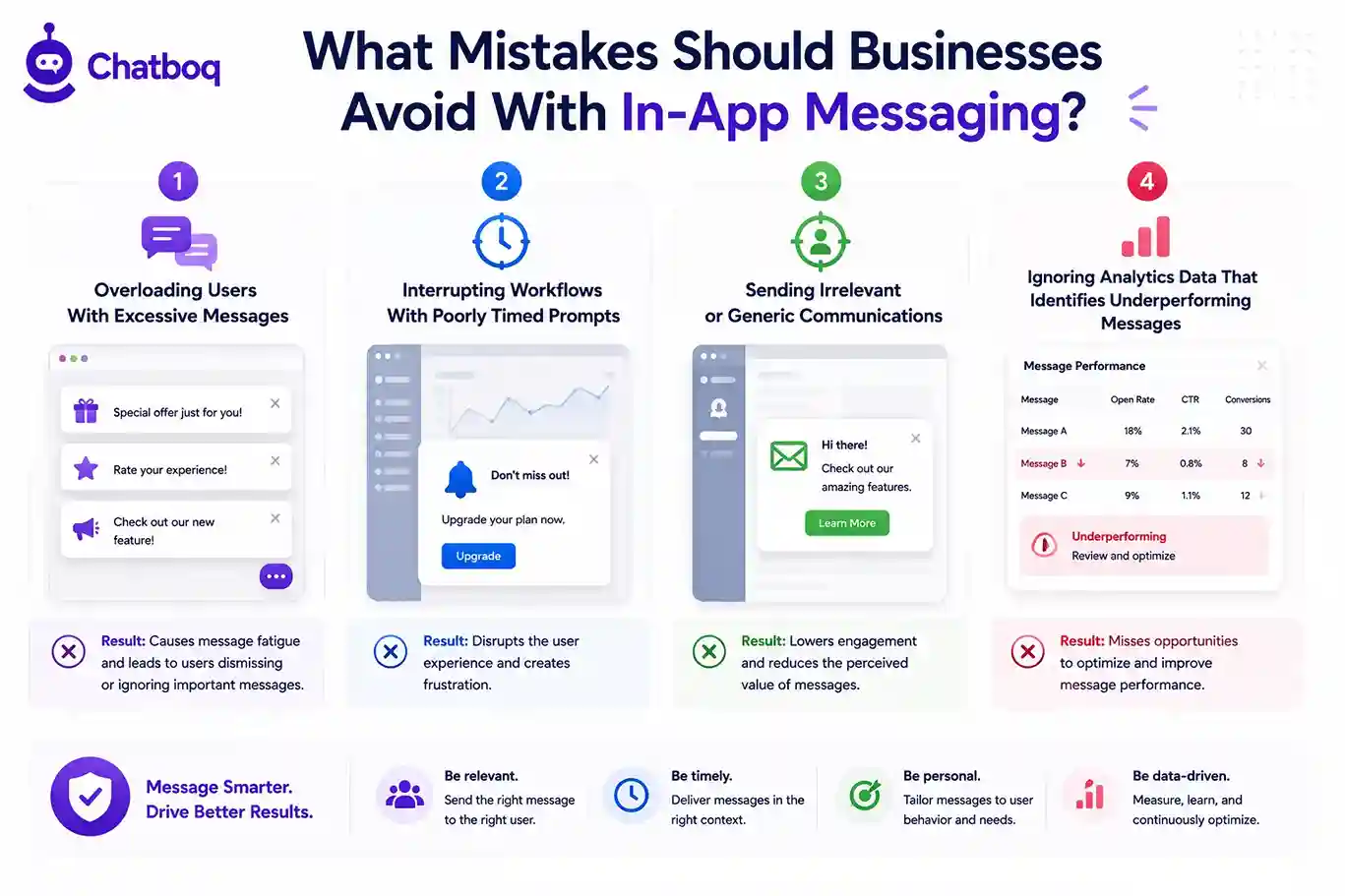
In-app messaging systems track engagement through analytics dashboards that measure message impressions, click-through rates, dismissal rates, goal completions, and downstream behavior after message delivery. These metrics determine whether messages are producing the intended user actions.
A tooltip with a 4% click-through rate is not delivering value. A modal with a 34% conversion rate on an upsell prompt is performing above benchmark. Analytics data feeds back into segmentation logic and trigger conditions, enabling teams to refine which users receive which messages based on observed engagement patterns.

 ChatGPT
 Perplexity
 Claude


Leave a Comment
Your email address will not be published. Required fields are marked *
By submitting, you agree to receive helpful messages from Chatboq about your request. We do not sell data.