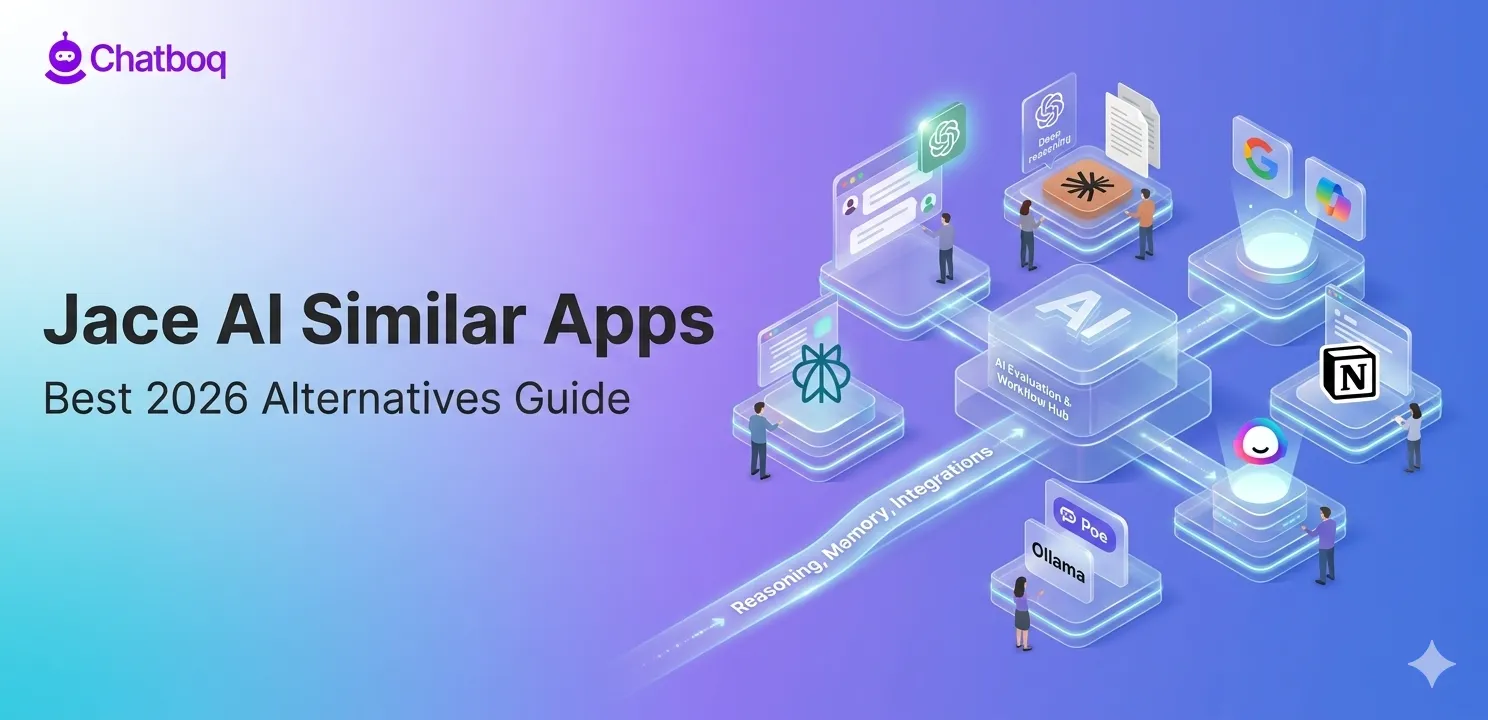
The best Jace AI alternatives in 2026 include ChatGPT, Claude, Gemini, Microsoft Copilot, Perplexity AI, Notion AI, Jasper, Copy.ai, Poe, and open-source AI tools. These apps replace or extend Jace AI depending on whether users need general AI, writing, research, or workflow automation.
ChatGPT: Best Overall Jace AI Alternative
ChatGPT is a general-purpose AI assistant developed by OpenAI that helps with writing, coding, research, reasoning, and everyday tasks. It works through natural conversation and can handle both simple prompts and complex multi-step problems using advanced models like GPT-4o and o3.
Best For
General-purpose AI assistance, long-form writing, code generation, research, and task automation through GPT-4o and o3 reasoning models.
Key Capabilities
ChatGPT provides conversational AI with GPT-4o as the default model, o3 and o4-mini for reasoning-heavy tasks, image generation through DALL-E 3, code execution through the Code Interpreter, web search for real-time information, and custom GPT creation for specialized workflows. The ChatGPT API enables integration into external applications.
Reasoning Depth vs Jace AI
ChatGPT's reasoning models (o3, o4-mini) operate at a fundamentally different capability level than Jace AI's email automation focus. ChatGPT handles multi-step logical reasoning, code debugging, document analysis, and research synthesis. Jace AI focuses specifically on email drafting and inbox management automation. Users who need AI beyond email workflows will find ChatGPT's capability breadth significantly wider.
Strengths
Largest model ecosystem of any AI assistant platform. Operator and custom GPT system enables workflow specialization. Strong code generation with execution sandbox. Memory feature retains user context across sessions. Plugin and tool ecosystem for extended capability.
Limitations
Free tier limits access to advanced models. GPT-4o and o3 access requires Plus subscription. No native deep integration with Gmail or Outlook workflows out of the box, unlike Jace AI's email-first design.
Pricing
Free tier: GPT-4o with usage limits. Plus: $20 per month for higher GPT-4o limits and o3 access. Pro: $200 per month for maximum model access including o1 Pro. Team and Enterprise plans available.
Ideal Users
Developers, writers, researchers, and business users who need a general-purpose AI assistant with the broadest capability range available.
Claude: Best for Deep Thinking and Long Context Work
Claude is an AI assistant developed by Anthropic that is designed for deep thinking, long document analysis, and careful reasoning. It is widely used for tasks that require handling large amounts of text, structured thinking, and high-quality writing output.
Best For
Document analysis, long-form writing, nuanced reasoning, and tasks requiring extended context processing.
Key Capabilities
Claude 3.5 Sonnet and Claude 3.7 Sonnet handle long-context tasks with a 200,000 token context window, enabling analysis of entire books, large codebases, or lengthy document sets in a single prompt. Claude demonstrates strong performance on complex reasoning, instruction following, and nuanced writing tasks. Anthropic's constitutional AI training produces reliable refusal behavior and consistent instruction adherence.
Strengths
200,000 token context window is one of the largest available among commercial AI assistants. Strong performance on document summarization, legal and contract analysis, and detailed technical writing. Reliable instruction following. Extended thinking mode (Claude 3.7) enables deliberate step-by-step reasoning for complex problems.
Limitations
No native web search in the base interface (available through claude.ai with search feature). Fewer integrations than ChatGPT or Microsoft Copilot. No image generation. API access requires separate Anthropic account.
Pricing
Free tier: Claude 3.5 Haiku with usage limits. Claude Pro: $17 per month for Claude 3.5 and 3.7 Sonnet access. Claude Team: $20 per user per month. Enterprise pricing available.
Ideal Users
Lawyers, researchers, analysts, writers, and developers who regularly work with long documents or require deep contextual reasoning over large inputs.
Google Gemini: Best for Google Ecosystem Users
Gemini is Google’s AI assistant built for both general use and deep integration with Google Workspace tools like Gmail, Docs, Sheets, and Drive. It combines conversational AI with productivity features inside Google’s ecosystem.
Best For
Users whose work centers on Google Workspace (Gmail, Docs, Sheets, Drive, Meet).
Key Capabilities
Gemini 2.0 Flash and Gemini 2.5 Pro are the current production models. Gemini integrates directly into Gmail for email drafting and summarization, Google Docs for writing assistance, Google Sheets for formula generation and data analysis, and Google Meet for live transcription and summarization. Gemini 2.5 Pro demonstrates strong coding and reasoning performance.
Workspace Integration Advantage
Gemini's direct embedding in Google Workspace applications creates a genuinely different workflow compared to Jace AI or general AI assistants. Email drafting, calendar management, and document creation happen within the tools users already use rather than through a separate AI interface. For teams standardized on Google Workspace, Gemini delivers AI capability without workflow context-switching.
Strengths
Native Gmail and Google Docs integration that Jace AI cannot match. Gemini 2.5 Pro ranks among the strongest reasoning models available. Real-time web search grounding. Multimodal input support including images, audio, and video. Google One AI Premium bundles Gemini with expanded Google storage.
Limitations
Most valuable for Google Workspace users. Less useful for users on Microsoft 365 or other productivity ecosystems. Gemini 2.5 Pro's strongest capabilities require Advanced tier subscription.
Pricing
Free: Gemini 1.5 Flash with web search. Google One AI Plus: $4.99/month. Pro: $19.99/month. Ultra: $99.99/month.
Ideal Users
Google Workspace users, Gmail-heavy workers, and teams using Google Drive and Docs as their primary collaboration environment.
Microsoft Copilot: Best for Office Productivity Workflows
Microsoft Copilot is an AI assistant integrated directly into Microsoft 365 apps such as Word, Excel, Outlook, and Teams. It helps users write documents, manage emails, analyze data, and automate work inside Office tools.
Best For
Microsoft 365 users who want AI embedded directly in Word, Excel, PowerPoint, Outlook, and Teams.
Key Capabilities
Microsoft Copilot for Microsoft 365 operates inside the full Office application suite. In Outlook, it drafts emails, summarizes threads, and prepares meeting briefs. In Word, it drafts and edits documents. In Excel, it generates formulas, analyzes data, and creates charts. In Teams, it summarizes meetings and action items in real time. The underlying model is GPT-4o accessed through Microsoft's Azure OpenAI partnership.
Strengths
Deepest integration with Microsoft 365 of any AI assistant. Meeting summarization in Teams is a genuinely productivity-changing feature for organizations with high meeting volume. Outlook email drafting and thread summarization directly addresses Jace AI's primary use case within a broader productivity platform. Enterprise security and compliance built into the Microsoft cloud architecture.
Limitations
Microsoft 365 Copilot requires a Microsoft 365 subscription plus the Copilot add-on, making it one of the most expensive options. Less useful for users outside the Microsoft ecosystem. Copilot.microsoft.com free tier is less capable than the Microsoft 365 integrated version.
Pricing
Copilot.microsoft.com: Free with Bing Search integration. Microsoft 365 Copilot: $30 per user per month add-on to existing Microsoft 365 subscription.
Ideal Users
Enterprise organizations standardized on Microsoft 365, Outlook-heavy users, and teams that use Teams for meetings and collaboration.
Perplexity AI: Best for Real-Time Research and Answers
Perplexity AI is a research-focused AI tool that answers questions using real-time web data with cited sources. It is designed for users who want up-to-date, verifiable information rather than just conversational responses.
Best For
Real-time web research, fact-checking, cited answers, and staying current with recent information.
Key Capabilities
Perplexity AI provides AI-generated answers with cited web sources for every response, using a combination of underlying models including Claude, GPT-4o, and Llama depending on the query and subscription tier. Every answer includes source links, enabling users to verify information directly. Pro Search enables deeper multi-step research with more sources. Perplexity Spaces allows research project organization.
Research vs Assistant Difference
Perplexity is a research tool, not a general AI assistant. It does not draft emails, manage workflows, or execute multi-step tasks in the way Jace AI or ChatGPT do. Its strength is in providing accurate, current, cited answers to information queries. Users comparing it to Jace AI are typically looking for a tool to support research tasks rather than replace Jace AI's email automation.
Strengths
Real-time web access with source citations is the strongest differentiator from Jace AI. Always current information without a training data cutoff. Pro tier provides access to multiple underlying models. Clean interface optimized for research workflows.
Limitations
Not an email or task automation tool. Limited workflow automation. Not suitable as a Jace AI replacement for inbox management. Limited memory and personalization compared to ChatGPT or Claude.
Pricing
Free: Standard search with limited daily Pro searches. Perplexity Pro: $17 per month for unlimited Pro search and premium model access.
Ideal Users
Researchers, students, journalists, analysts, and anyone who regularly needs current, cited information rather than email or workflow automation.
Notion AI: Best for Workspace-Based Productivity
Notion AI is an AI writing and productivity assistant built directly into the Notion workspace. It helps users generate content, summarize notes, and manage information within documents and databases.
Best For
Users who manage notes, documents, and projects in Notion and want AI embedded in their workspace.
Key Capabilities
Notion AI generates text, summarizes pages, translates content, improves writing, generates action items from meeting notes, and fills in structured database properties based on page content. It operates directly within the Notion interface, meaning AI capability is available without leaving the workspace where notes and projects already live.
Workflow Integration Advantage
Notion AI's value is its workspace embedding. For users with significant content already in Notion databases and pages, AI that operates directly on that content without requiring export or copy-paste provides a workflow efficiency advantage. AI summaries of meeting notes, AI-generated action items from project pages, and AI-assisted document creation all happen within Notion's familiar interface.
Strengths
Direct operation on existing Notion content. No context-switching to a separate AI tool. Database automation features for Notion power users. Reasonable add-on pricing for teams already paying for Notion.
Limitations
Only valuable for Notion users. Underlying model quality is below ChatGPT or Claude for complex reasoning tasks. Not a standalone AI assistant. Limited outside Notion's specific content types.
Pricing
Notion AI: $12 per member per month as an add-on to any Notion plan.
Ideal Users
Teams and individuals who already use Notion as their primary notes and project management system and want AI integrated into that existing workflow.
Jasper AI: Best for Marketing and Content Teams
Jasper AI is an AI content creation platform built for marketing teams that need consistent brand voice and high-volume content production. It focuses on structured workflows for blogs, ads, emails, and campaigns.
Best For
Marketing teams that need brand-consistent content production at scale across multiple formats and channels.
Key Capabilities
Jasper provides AI content generation with brand voice configuration, campaign workflow templates for blogs, social media, email, and ad copy, and a document editor for long-form content. The Brand Voice feature allows teams to define tone, style, and vocabulary standards that Jasper applies across all generated content. Jasper campaigns organize multi-piece content production into coordinated workflow projects.
Content Automation Strength
Jasper's differentiation from general AI assistants is workflow organization around content production. Rather than a single conversation interface, Jasper provides templated workflows for specific content types (blog post, Facebook ad, product description), brand voice enforcement across outputs, and campaign organization that tracks multiple content pieces together.
Strengths
Brand voice consistency at scale that general AI assistants cannot enforce. Purpose-built templates for marketing content types. Campaign organization for coordinated multi-channel content. Team collaboration features for marketing departments.
Limitations
Expensive relative to general AI assistants for individual users. Underlying model quality for reasoning tasks is below ChatGPT or Claude. No free tier. Not suitable for non-content use cases.
Pricing
Pro: $69 per month/seat. Business: Custom pricing.
Ideal Users
Marketing teams, content agencies, brand managers, and businesses producing high volumes of brand-consistent marketing content.
Copy.ai: Best for Sales and GTM Automation
Copy.ai is an AI platform designed for sales and go-to-market teams to automate outreach, generate personalized messages, and run multi-step marketing and sales workflows.
Best For
Sales teams, GTM teams, and revenue operations teams automating prospecting, outreach, and sales content workflows.
Key Capabilities
Copy.ai provides AI workflow automation specifically designed for go-to-market (GTM) operations: prospecting research, personalized outreach email generation at scale, sales sequence content, and CRM data enrichment. The Workflow feature allows teams to build multi-step AI pipelines that take prospect data as input and produce personalized outreach content as output without manual step-by-step involvement.
Workflow Automation Depth
Copy.ai's GTM workflows automate the content production steps in sales processes: researching a prospect, writing a personalized first email, generating follow-up variations, and updating CRM records with AI-generated notes. This automation depth is specifically oriented toward revenue team workflows rather than general productivity.
Strengths
Purpose-built for sales and GTM workflows that no general AI assistant replicates natively. Workflow builder enables multi-step automation pipelines. Integration with CRM systems. Scale-appropriate for teams running outreach to large prospect lists.
Limitations
Expensive for non-sales use cases. Less useful for individual users or teams outside sales and marketing. Free tier exists but is limited for serious GTM automation use.
Pricing
Chat: $29 per month. Enterprise: Custom
Ideal Users
Sales development representatives, account executives, demand generation teams, and revenue operations teams running outreach at scale.
Poe: Best Multi-Model AI Access Platform
Poe is a multi-model AI platform that gives users access to different AI models like ChatGPT, Claude, and Gemini in one place. It allows users to switch between models and build custom AI bots.
Best For
Users who want access to multiple AI models (ChatGPT, Claude, Gemini, Llama, Mistral) through a single subscription rather than paying for each separately.
Key Capabilities
Poe, built by Quora, provides access to ChatGPT-4o, Claude 3.5 Sonnet and 3.7, Gemini 2.0 Flash, Llama 4, Mistral, and dozens of other models through a single interface. Users switch between models within the same conversation or select different models for different tasks. Custom bot creation allows building specialized AI assistants on top of any available model.
Model Switching Advantage
Poe's primary value is access breadth. Users who want to compare model responses, who use different models for different task types (Claude for documents, GPT-4o for coding, Perplexity for research), or who want to experiment without multiple subscriptions find Poe's consolidated access model cost-effective.
Strengths
Single subscription for access to models from OpenAI, Anthropic, Google, Meta, and Mistral. Custom bot creation for specialized workflows. Model comparison within the same platform. Relatively affordable for multi-model access.
Limitations
No native workflow automation or integrations with external tools. Interface is simpler than native model platforms. Some model access limits apply per subscription tier. Not a substitute for deep ecosystem integration.
Pricing
Free: Limited daily messages on premium models. Poe starts from $4.99/month based on points.
Ideal Users
AI power users who regularly work with multiple models, developers evaluating models for integration decisions, and users who want consolidated access without multiple subscriptions.
Open-Source AI Tools: Best for Privacy and Control
Open-source AI tools like Ollama and LM Studio allow users to run AI models locally on their own devices without relying on external servers. They are mainly used for privacy, customization, and offline AI usage.
Best For
Users who need full data control, offline AI capability, custom model behavior, and zero dependency on external API providers.
Key Capabilities
Ollama enables running Llama 4, Qwen 3, Mistral, DeepSeek, and Gemma models locally through a simple command-line interface and local API. LM Studio provides a GUI for downloading and running GGUF-format models locally with model comparison and local server capability. These tools enable complete offline AI inference with no data leaving the user's hardware.
Offline AI Systems
Local AI with Ollama or LM Studio requires hardware investment: a GPU with sufficient VRAM for the target model size. A 7B model runs on 8GB VRAM. A 70B model requires 40GB VRAM or more. The benefit is complete data isolation: no conversations leave the machine, no API provider has access to the content, and no usage limits apply beyond hardware capacity.
Strengths
Complete data privacy with no external transmission. No per-token or per-month API cost after hardware investment. Full model customization through fine-tuning. No vendor dependency or API availability risk.
Limitations
Requires technical setup knowledge. Hardware costs for capable GPU inference are significant. Model capability below frontier closed models for complex reasoning. No managed updates or safety layers beyond what the model release includes.
Pricing
Free model weights. Hardware cost: Consumer GPU range from $300 (RTX 3060 for 7B models) to $1,500 or more for larger model capability.
Ideal Users
Developers, privacy-focused individuals and organizations, researchers, and technical users who need complete control over AI infrastructure and data handling.

 ChatGPT
 Perplexity
 Claude


Leave a Comment
Your email address will not be published. Required fields are marked *
By submitting, you agree to receive helpful messages from Chatboq about your request. We do not sell data.